
 Aug 25,2026
 By:
By: Introduction
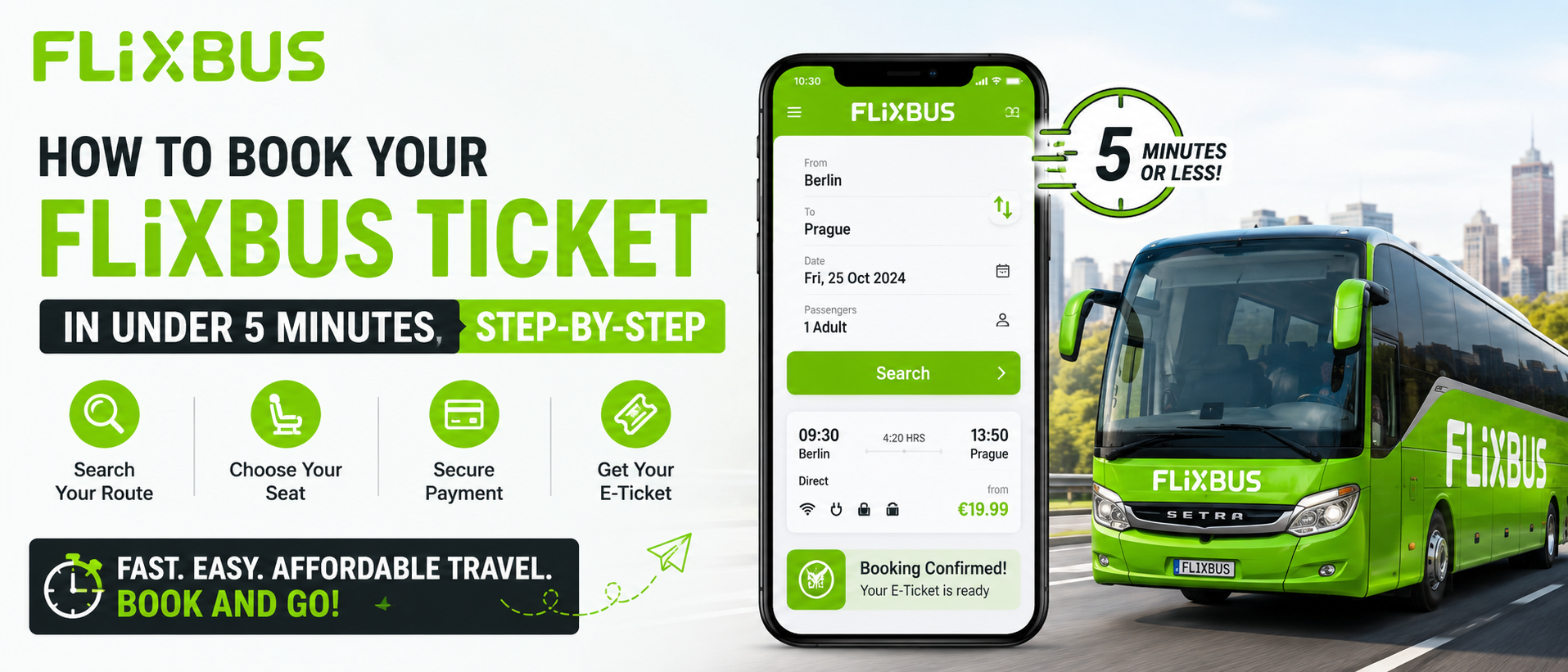
💚 Ride With FlixBusSo you've decided to take a FlixBus somewhere. Good choice, honestly. Cheap, reasonably comfortable, and it goes to places regular trains sometimes skip entirely. But if you've never done it before, that first booking can feel oddly confusing. Which app do you use? Does the website even work properly? What about seat selection? This guide walks you through exactly how to book FlixBus ticket in a way that takes less time than making a cup of coffee. Five minutes, tops. Sometimes less.
Let's get into it.
Why People Keep Choosing FlixBus
Before we get to the actual booking steps, a quick word on why this even matters. FlixBus has become one of the go-to options for budget travel across Europe, and it's expanding fast in the US too. Green buses, wifi that mostly works, power outlets that sometimes work, and prices that make flying look ridiculous for short hops. I took one from Berlin to Prague a couple years back and paid less than what I'd spend on lunch in most cities. Wild, really.That said, the booking process trips people up more than it should. Not because it's hard. It's not. But there are a few small details that, if you miss them, can mess up your FlixBus ticket purchase and leave you standing at the wrong stop wondering where your bus went.
Step 1: Pick Your Platform
You've got three main ways to book:- The FlixBus website (flixbus.com or your country's version)
- The FlixBus mobile app
- Third-party travel sites, though I'd honestly skip these
Step 2: Enter Your Route and Dates
This part's simple. Type in your departure city, your destination, and the date you want to travel. There's usually a little swap icon if you get the cities backwards (I do this constantly, no idea why).A few things worth knowing here:
Flexible dates matter. If your schedule allows even a day or two of wiggle room, check nearby dates. Prices swing a lot, sometimes dramatically, based on demand. A Tuesday departure might cost half of what a Friday one does.
Round trip vs one way. FlixBus lets you book both directions at once if you already know your return date. Saves you a step later, and sometimes there's a small discount baked in for booking a round trip. Worth checking the box even if you're only 80% sure of your return plans.
Time of day. Overnight buses exist on longer routes. They're cheaper, sure, but sleep quality is... let's say inconsistent. Depends entirely on who's sitting next to you and whether the guy three rows back decides to have a phone conversation at 2am.
Step 3: Compare the Available Buses
Once you search, you'll see a list of departures for that day. Times, durations, prices, number of transfers if any. This is where the actual thinking happens during your FlixBus ticket purchase.Direct buses cost more but obviously save time. Buses with transfers are cheaper but mean standing around at a random station somewhere, sometimes for an hour or more, waiting for your connecting bus. I've done both. The direct route is almost always worth the extra few euros or dollars unless you're really watching every penny.
Look at the little icons next to each listing too. They tell you whether wifi's included, whether there's a toilet on board, power outlets, that sort of thing. Not every bus has everything. Long routes usually do. Short regional hops, maybe not.
Step 4: Select Your Seat
Here's something a lot of first-timers miss. FlixBus often lets you pick your seat, sometimes for free, sometimes for a small fee depending on the route and how popular the departure is. Window seat near the front, aisle seat toward the back, whatever your preference.If you skip this step, you'll get assigned a random seat automatically. That's fine for a short trip. For anything over three or four hours though, I'd genuinely recommend paying the extra dollar or two if it's not free. Front seats tend to be quieter. Back seats near the bathroom... not ideal, in my experience. Just a heads up.
Step 5: Add Extras If You Need Them
This is optional, but worth glancing at. FlixBus offers:- Extra luggage allowance
- Priority boarding
- Pet transport on certain routes
- Bike transport (yes, actual bicycles)
- FlixBus+ membership for frequent travelers
Step 6: Enter Passenger Details
Name, email, sometimes a phone number. Standard stuff. Double check the spelling of your name here, it should match your ID exactly, especially for international routes where they occasionally check documents at the border.If you're booking for multiple people, you'll add each passenger's info here too. Kids, seniors, and students sometimes get discounted rates, so look for those options if they apply to your group.
Step 7: Choose Your Payment Method
Credit card, debit card, PayPal, sometimes Apple Pay or Google Pay depending on your region. The checkout is pretty standard, nothing unusual here. Enter your details, review the total one more time (prices can shift slightly if a bus is filling up fast, so don't dawdle too long on this step), and confirm.And that's it. Genuinely, that's the whole FlixBus ticket purchase process from start to finish.
Step 8: Save Your Ticket
Once you've paid, you'll get a confirmation email with a QR code. This is your ticket. Screenshot it, download the PDF, whatever works for you, because bus wifi at the station isn't always reliable and you don't want to be scrambling to load your email right as boarding starts.The FlixBus app also stores your tickets under "My Bookings" if you booked while logged in, which honestly is the easiest way to keep track of everything. No printing required, though you can print if you're the type who likes a paper backup. No judgment.
A Few Extra Tips Before You Go
Arrive early. FlixBus stops aren't always full stations, sometimes it's just a curb or a designated bus bay, and buses don't wait around for latecomers. Fifteen minutes early is the general rule, though I usually aim for twenty because I'm paranoid about traffic.Check your departure point carefully. Some cities have multiple FlixBus stops. Booking the wrong one means showing up at the wrong corner of town while your bus leaves without you. Not a great start to a trip.
Keep your booking confirmation accessible offline. Screenshots work fine.
Bring snacks. The onboard options, when they exist, are limited and pricier than what you'd pay at a regular store.
Final Thoughts
Booking a FlixBus ticket really isn't complicated once you've done it once or twice. The whole process, from searching your route to getting that confirmation email, takes maybe five minutes if you're not overthinking every option. And honestly, most people don't need to overthink it. Pick your route, pick a decent departure time, grab a seat if you care about that sort of thing, and you're set.If this is your first time figuring out how to book FlixBus ticket, just relax about it. It's not rocket science, it's a bus ticket. Worst case, you learn something for next time (like I did, with the extra luggage thing). The system's built to be simple, and for the most part, it delivers on that.
Safe travels, wherever you're headed next.
💚 Ride With FlixBus
Experience the world with Travelnags. Your trusted travel companion - guides, budget advice, destination tips and good deals to help you travel smarter, cheaper and better, together!
Read Our More Blogs
Agoda Review 2026: Is Agoda Safe And Worth Booking With?
How Much Does It Cost To Build A PC? Budget Breakdown 2026
Home Decor Ideas That Add Style Without Breaking The Bank